How to post your work climate
Two Ways to Send
There are two ways your employees fill out how they feel about their work climate:
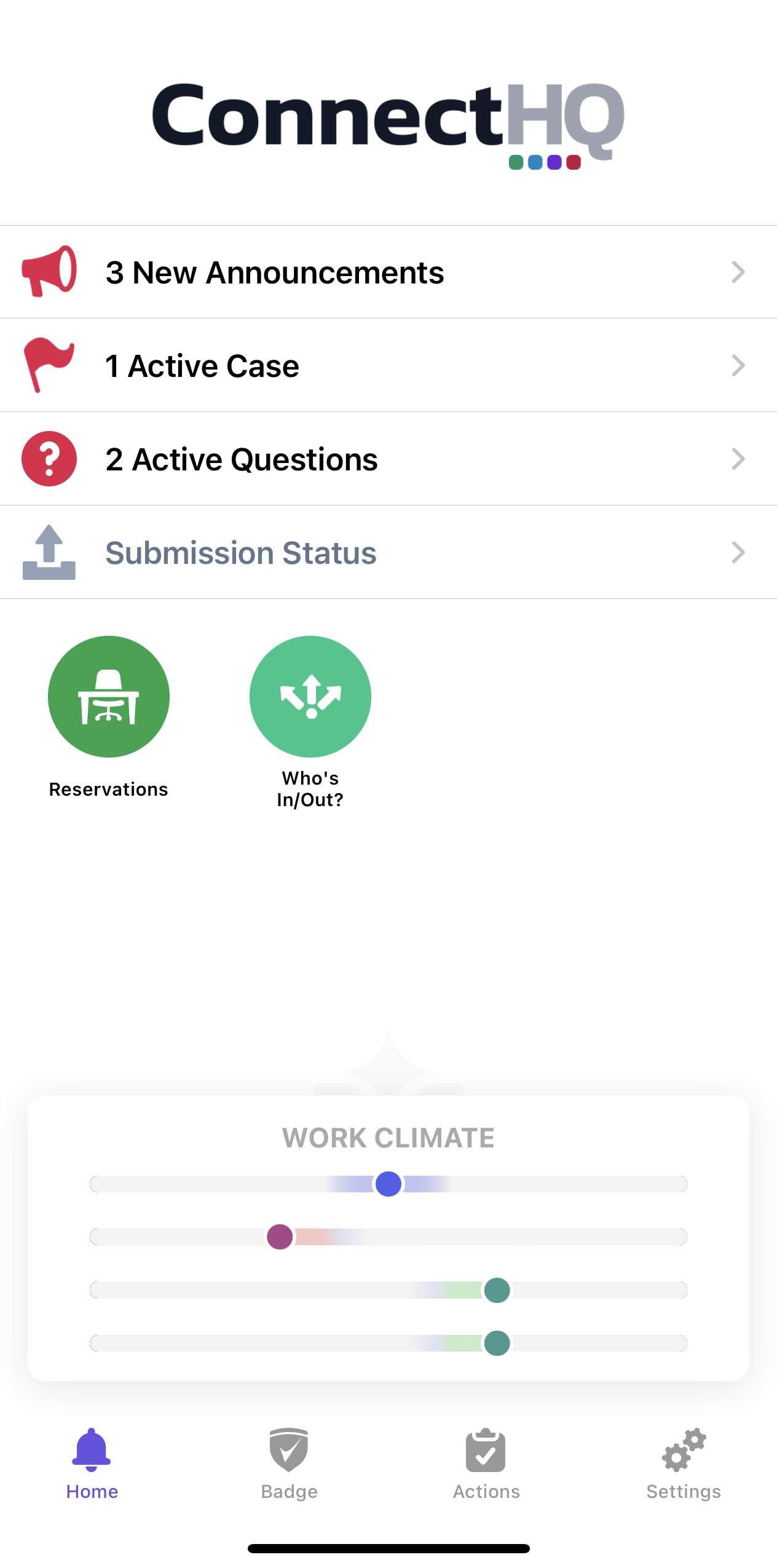
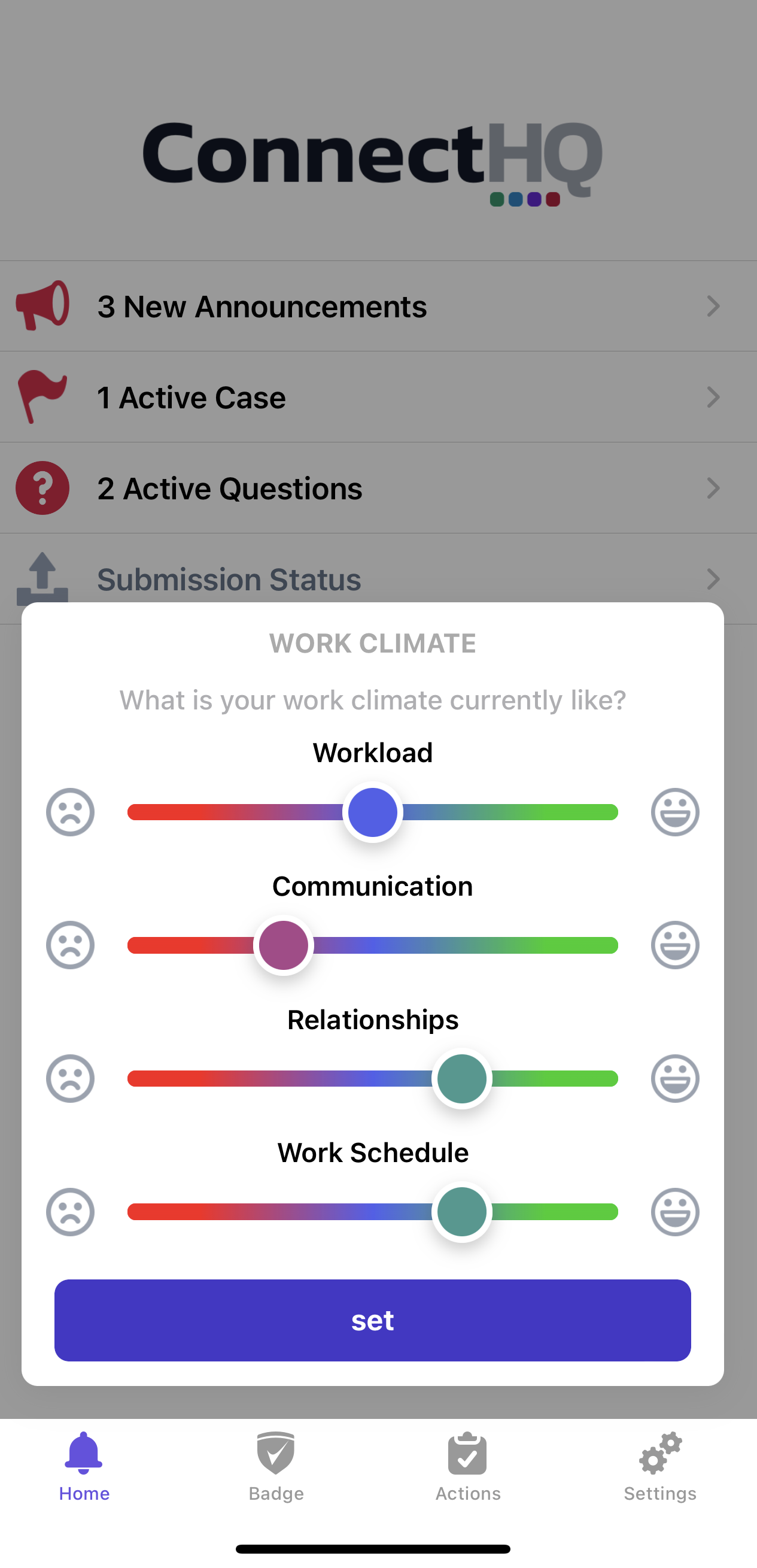
- "As-Needed" - They open up the ConnectHQ app and tap on the sliders at the bottom of the home screen. They move some sliders and hit "Set". That's it. It takes just a few seconds to do.
- "Prompted" - The organization sends out a benchmark that asks people to submit their work climate. If someone has ConnectHQ installed and push notifications enabled, they will receive a notification to do so. Otherwise, they will receive an email or an SMS message, each with links to fill out work climate via a web page that works on both mobile and desktop.
In the App
You can see the Work Climate section at the bottom of the home screen in the Connect HQ mobile App. Click on it to submit your feedback on the work environment.
Setting Reminders
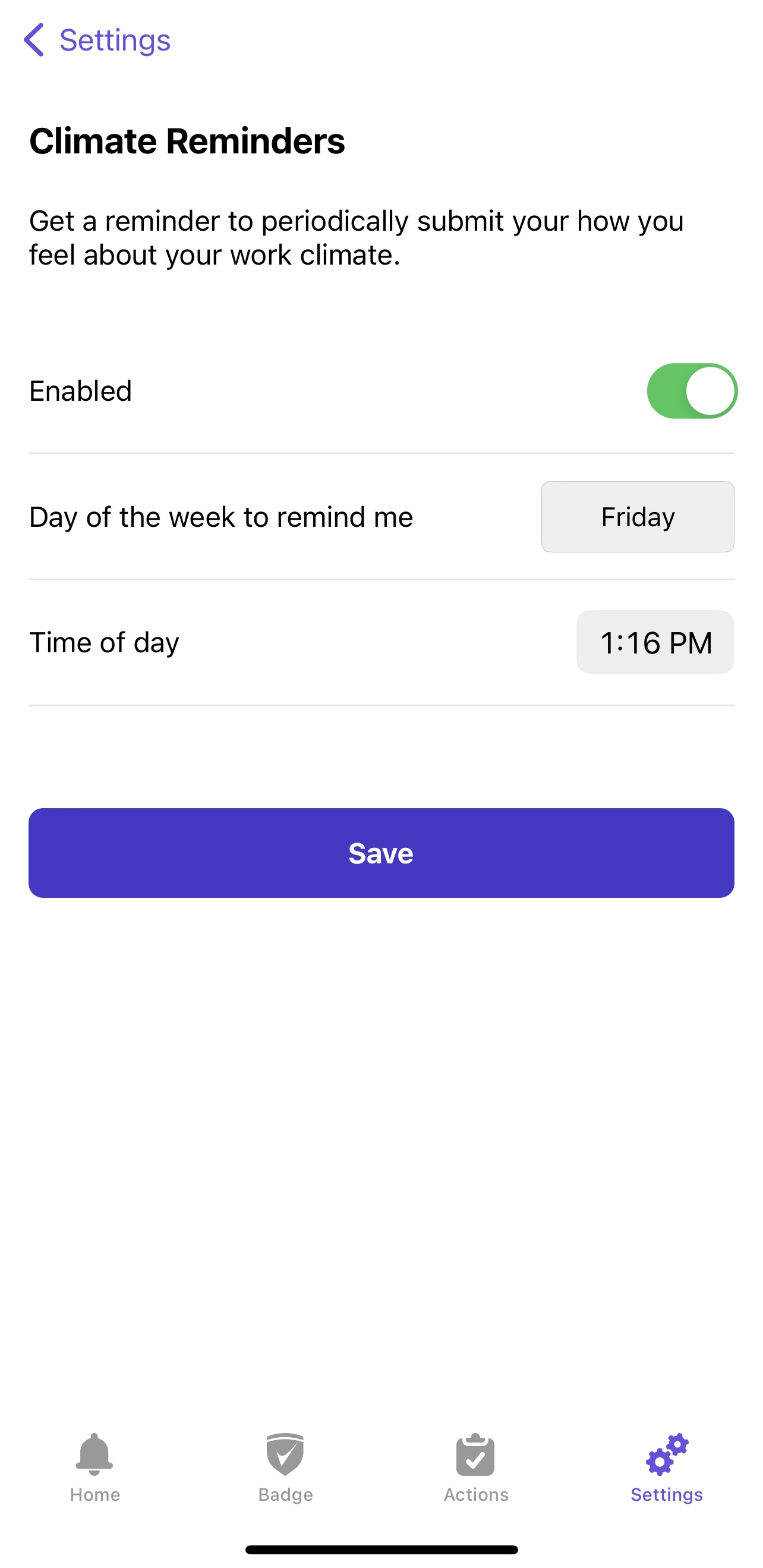
When using the app, by default, people will be prompted to fill out work climate once a week: Wednesday at 10 AM.
This setting can be adjusted by individuals to suit their preference. It can also be disabled.
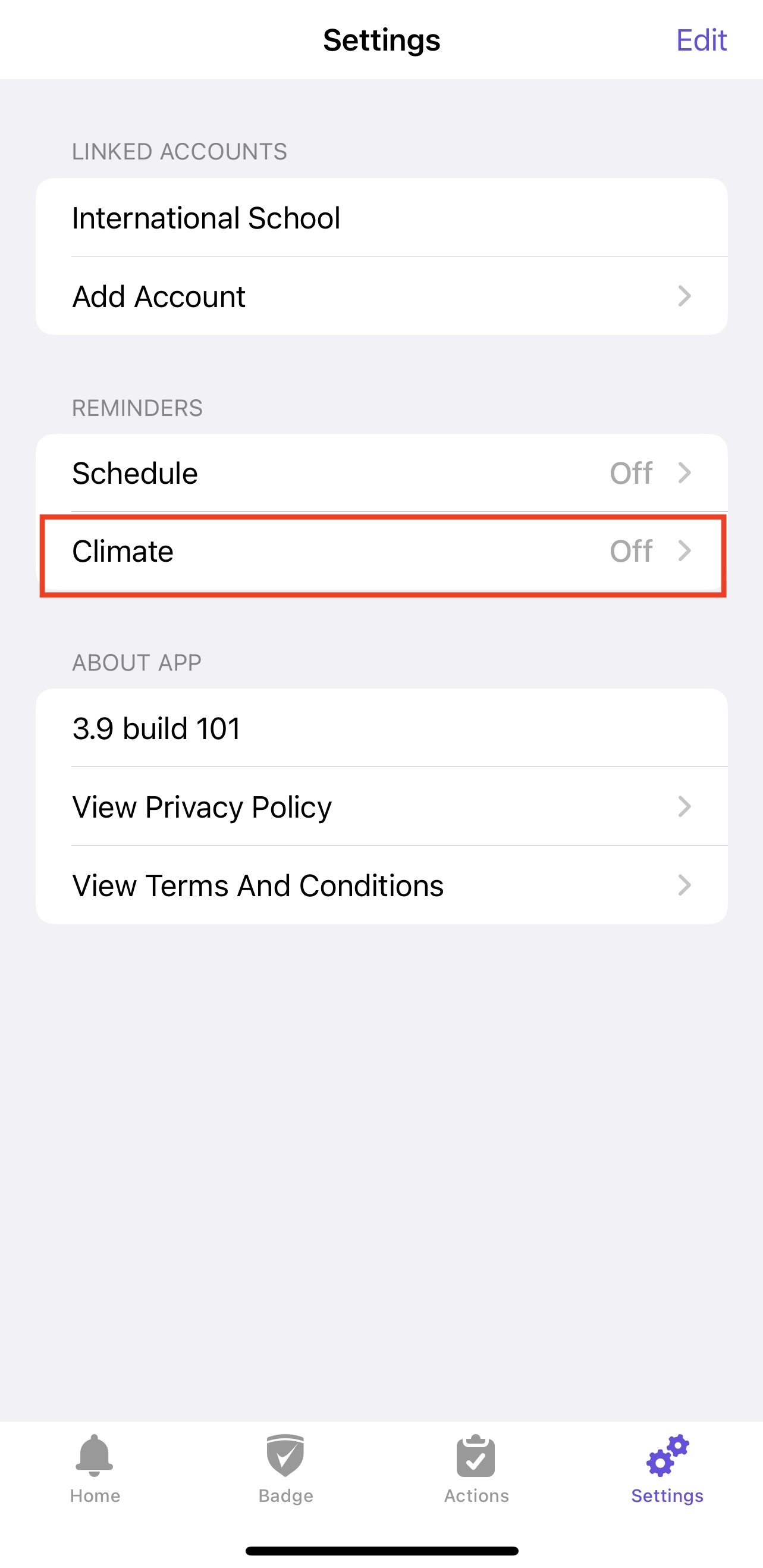
Navigate to Settings > Climate to adjust these settings: