
Scheduled Visitors
Visitors can be scheduled in advance to notify your guests about your organization's policies, share information about the visit, request any documents, or ask to answer screening questions.
Your organization's visitor settings can be set up under the Visitor Types.
*For visitors that are unplanned, please see our Unannounced Visitors page.*
Please Note:only the invitor receives notification regarding the invited visitor. Other users from your team with role permissions that allow you to manage/ invite visitors will not be notified.
How to Schedule Visitors:
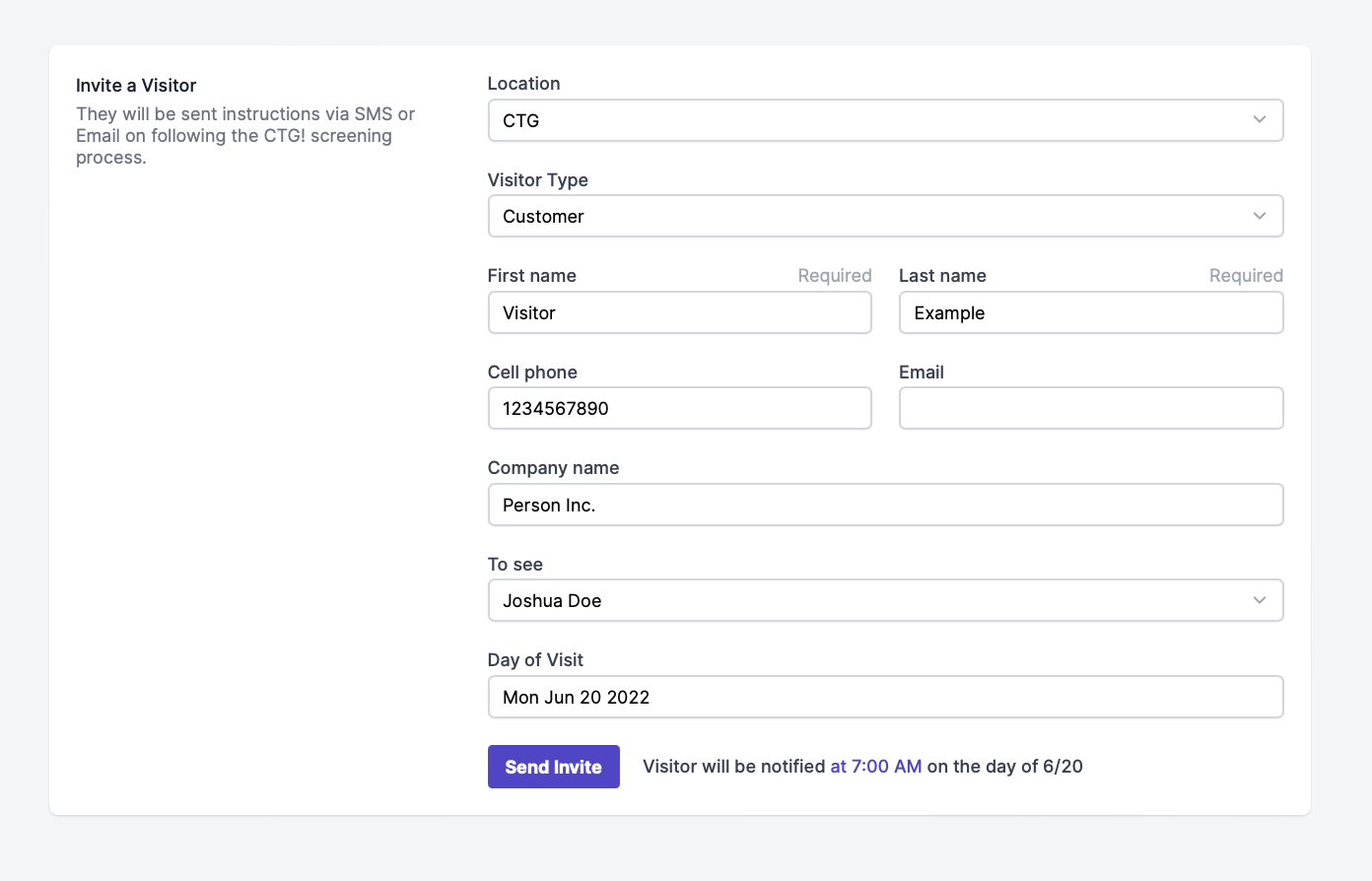
Head to On-Site > Visitor Management > Invite.
Fill out the form, and be sure to add visitor type and location.
Add details for when the visitor will be on-site, so they are notified at the appropriate time. If they are coming the same day, select "Today" under "Day of Visit" to prompt the user to receive the Invitation immediately.
Please Note: To invite users at a later date, select the date field, and choose when they will arrive. Then, they will be sent a notification on the day you've scheduled, rather than immediately. Additional visit-related notifications will be sent if Scheduled Invitations are enabled under the Visitor Types.
Also Note:The system will prioritize SMS over Email notifications. If no cell phone number is provided the notification will be delivered via email.
Finally, click "Send Invite.
International phone numbers must be entered in the following format: +country code (area code)number.
For example, a phone number for Mexico City will be written as +52 (55) 1234 1234 where +52 is the country code, and (55) is the area code.
We do not support country codesthat include a dash (E.g. 1-787 Puerto Rico, 44-1624 Isle of Man).
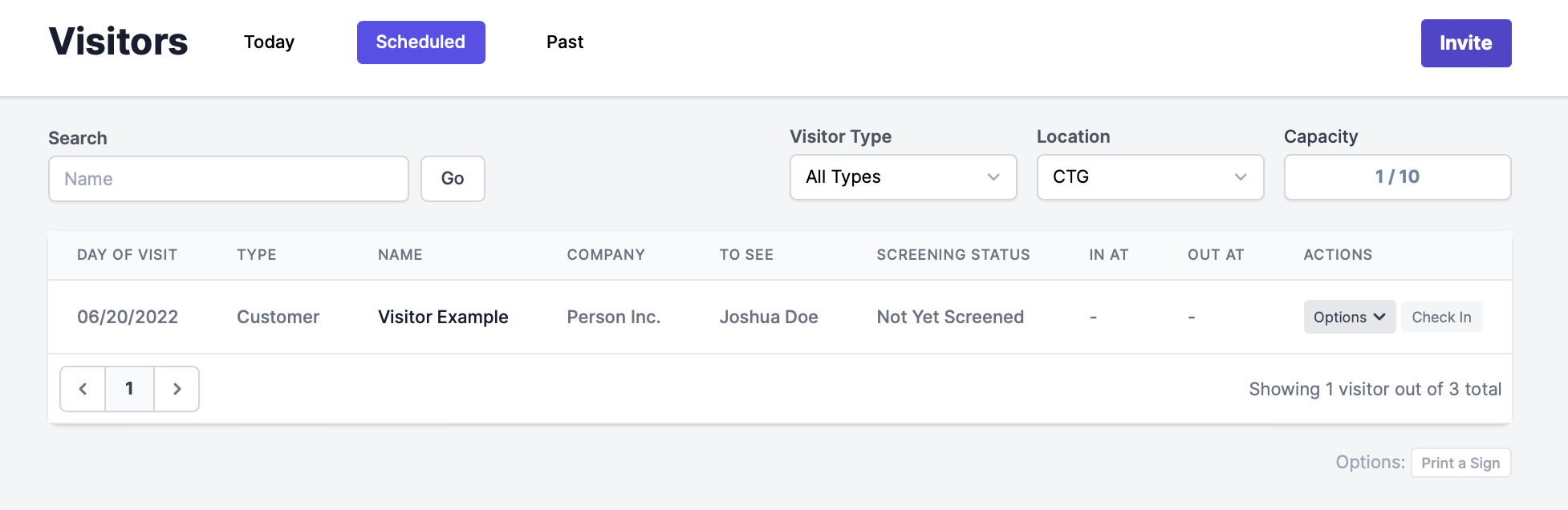
Then, you can see your future visitors under the "Scheduled" tab.
Once the screening process is completed, you will be able to check them in upon arrival and check them out upon departure.
Visitor Invitation delivery status
Click on Options next to the Scheduled visitor to see the status of the invitation delivery.
If the invitation could not be delivered you will see !next to the Options tab.
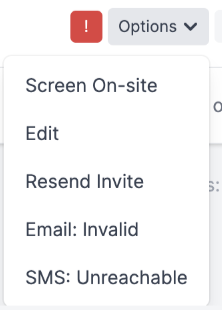
There are five invitation delivery statuses:
| Received | The notification was received. |
| Invalid | Cell phone number or email is invalid. |
| Unreached | The notification wasn't delivered. |
| OptOut | The visitor opted out from CTG notifications, it was marked as spam or blacklisted with the carrier or email provider. |
| Not Attempted | The visitor was reached out via one of the communication channels and there was no attempt to notify via other channels. |
For more on visitors in general, please see our Visitor Set Up guide.