
Vaccines Settings
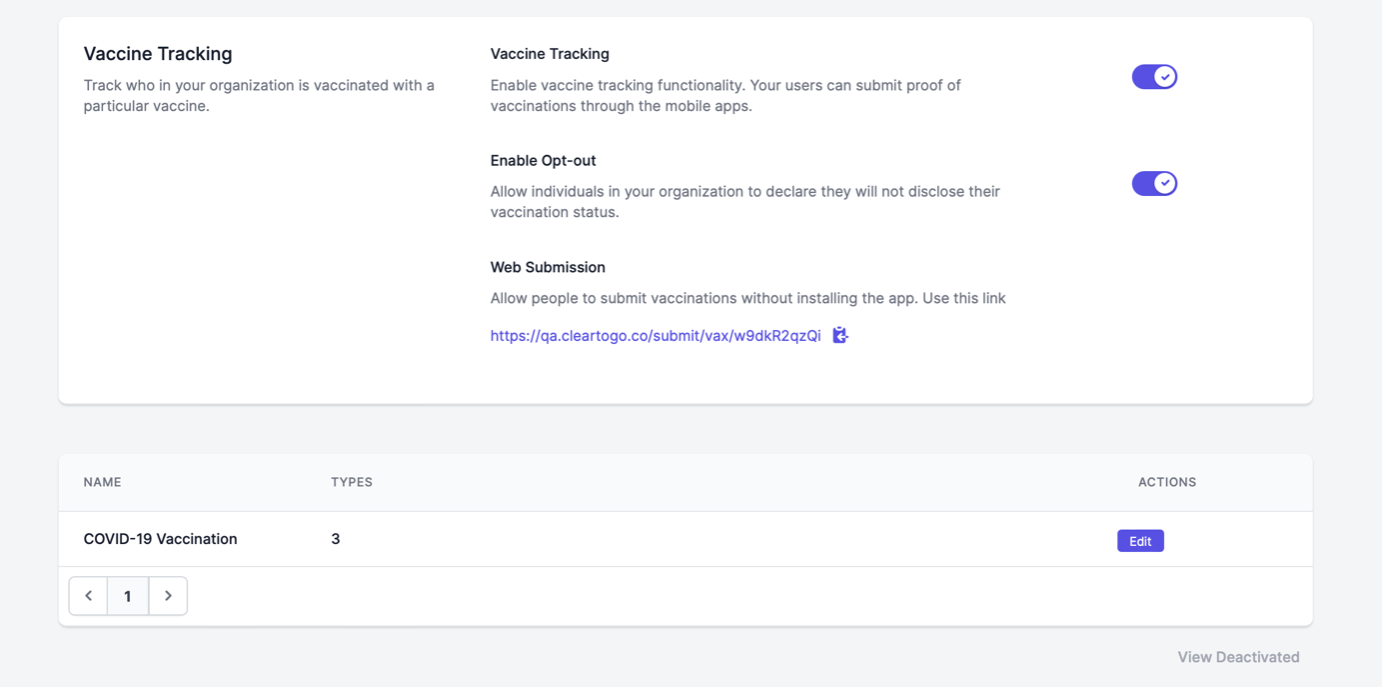
Vaccination records can be added at any time, by enabling this feature and allowing your users to submit their information. Only users with the "Manage Vaccinations" permission will be able to add or modify a vaccination record.
To find these settings, head to Your Name > Settings > Vaccines.
By default, we provide your organization with a COVID-19 vaccine setup, which you are able to edit and manipulate at any time. If your organization would like to track exemptions, simply add a type, name it, add one dose, choose an appropriate number of days valid, and make the waiting period zero days.
You also have the option to enable Opting Out for your users. By toggling this feature on, users will see an "Opt-Out" option when submitting their information.
- Users who are opting out will follow the same steps as users who are submitting vaccination data, via either their mobile app or web browser. More on submissions and user experience here.
Creating a Vaccine
Head to your Vaccines page, and click "Add Vaccine."
Then, add the following information:
- Vaccine Name
- Type Name (i.e. Manufacturers)
- Number of Doses
- Days Valid for
- Waiting Period (Days)
- If applicable, whether boosters are optional or required
+ If boosters are marked as required, you will be prompted with how often they are required, in days
Lastly, Click "Save Changes."
Dosage Report
Once a vaccine has been entered and users begin to submit vaccination proof, users with the permission to "Manage Vaccinations" will be able to view and download a Dosage Report, via the Reports page.
Here, all vaccine types and status can be viewed, as well as when the last dose was taken, how many doses were submitted, and if there was a booster. Users with appropriate users can also see if an employee has all doses of a vaccine type, or if they are only marked as partially vaccinated.
Users can filter through these submissions, as well as download a CSV file of the report for your records, found in the lower right hand corner.
Please Note: Users submitting multiple doses will have multiple entries in this report. This is not an error. If you would only like the most recent dose/booster to be shown, we recommend removing excess doses from the user profile.
Vaccination Status Report
Users with the appropriate permissions enabled will be able to see the vaccination status of all users, from Your Name > Reports.
Like the Dosage Report, those users are also able to filter through the report and download a CSV.
If users also have the "Manage Employees" permissions will also be able to click "View" on an entry and view the user profile to add vaccinations manually (see our Vaccinations Submissions guide).
Coverage Report
Also within the Reports page, users with the appropriate permissions will be able to see the data on the Vaccination Status Report in graphs, separated by location and/or group.