Location Reports
By going to Your Name > Reports, you can see the two location reports options available for you.
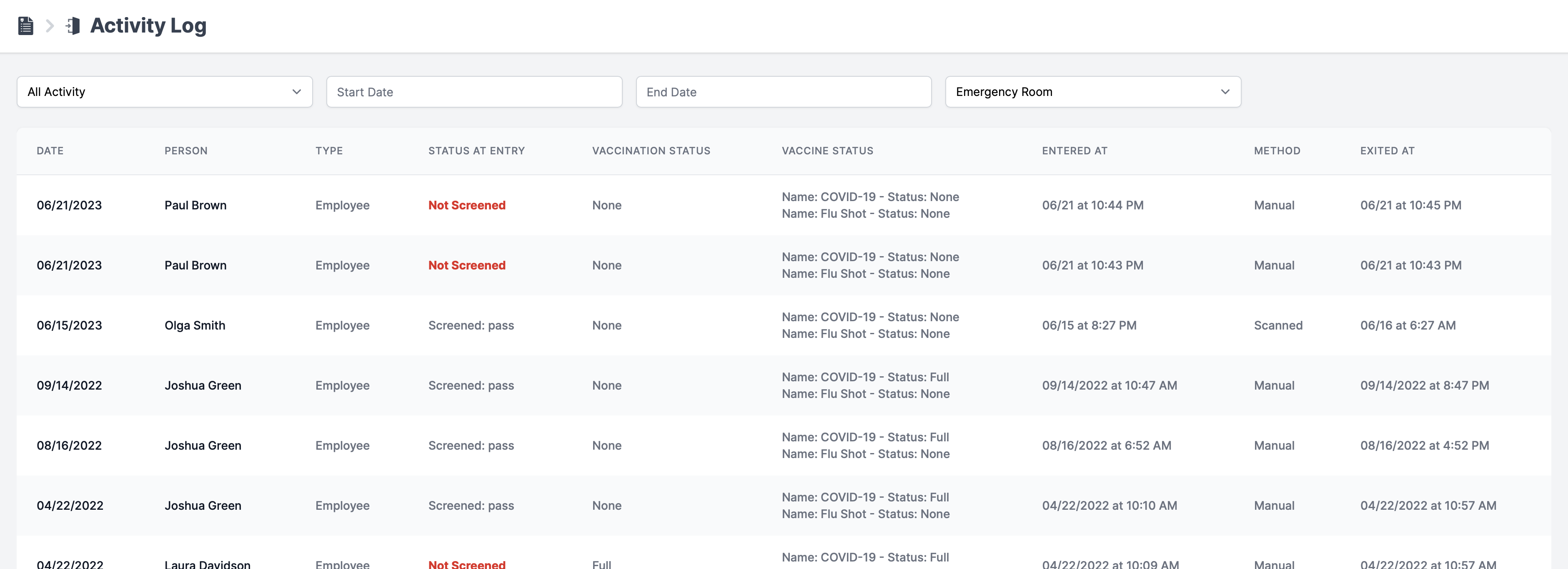
Activity Log
This report requires that Employees/Students/Contractors are being checked in/out using any of the six available check-in methods.
This provides a log of everyone's entry and exit times for a particular location. It can be filtered by date range and/or the user's status as the entry.
Please note:
STATUS AT ENTRY column is visible only if the Health Screening requirement under the compliance checklist is active.
VACCINATION STATUS AND VACCINE STATUS columns are visible only if the Fully Vaccinated requirement under the compliance checklist is active.
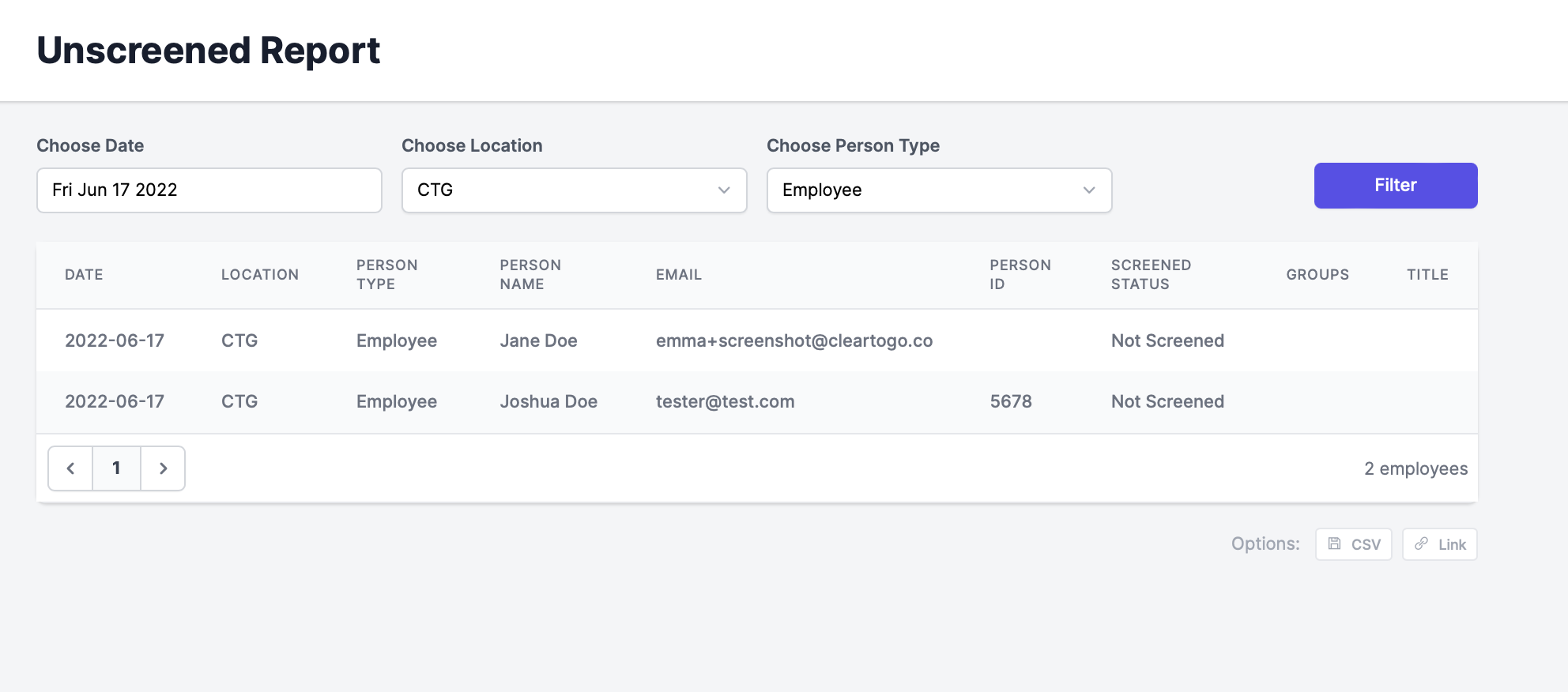
Unscreened Report
This report gives you a list of users that did not complete the screening for any given day. Select the desired date, Location, and person type, then click Filter.