Visibility Settings
Each employee who has access to the PrevailHQ web or mobile app may see different modules and user-related information. The visibility of this data depends on a combination of three factors:
- User permissions assigned to the employee. Employees can only see the modules that their role provides access to. You can learn more about Roles and Permissions here.
- Groups and Locations. Employees can view data for visible modules only for users assigned to the same groups and locations. You can learn more about Groups and Locations here.
Please note that a combination of all three (permissions, same group, and same location) is required.
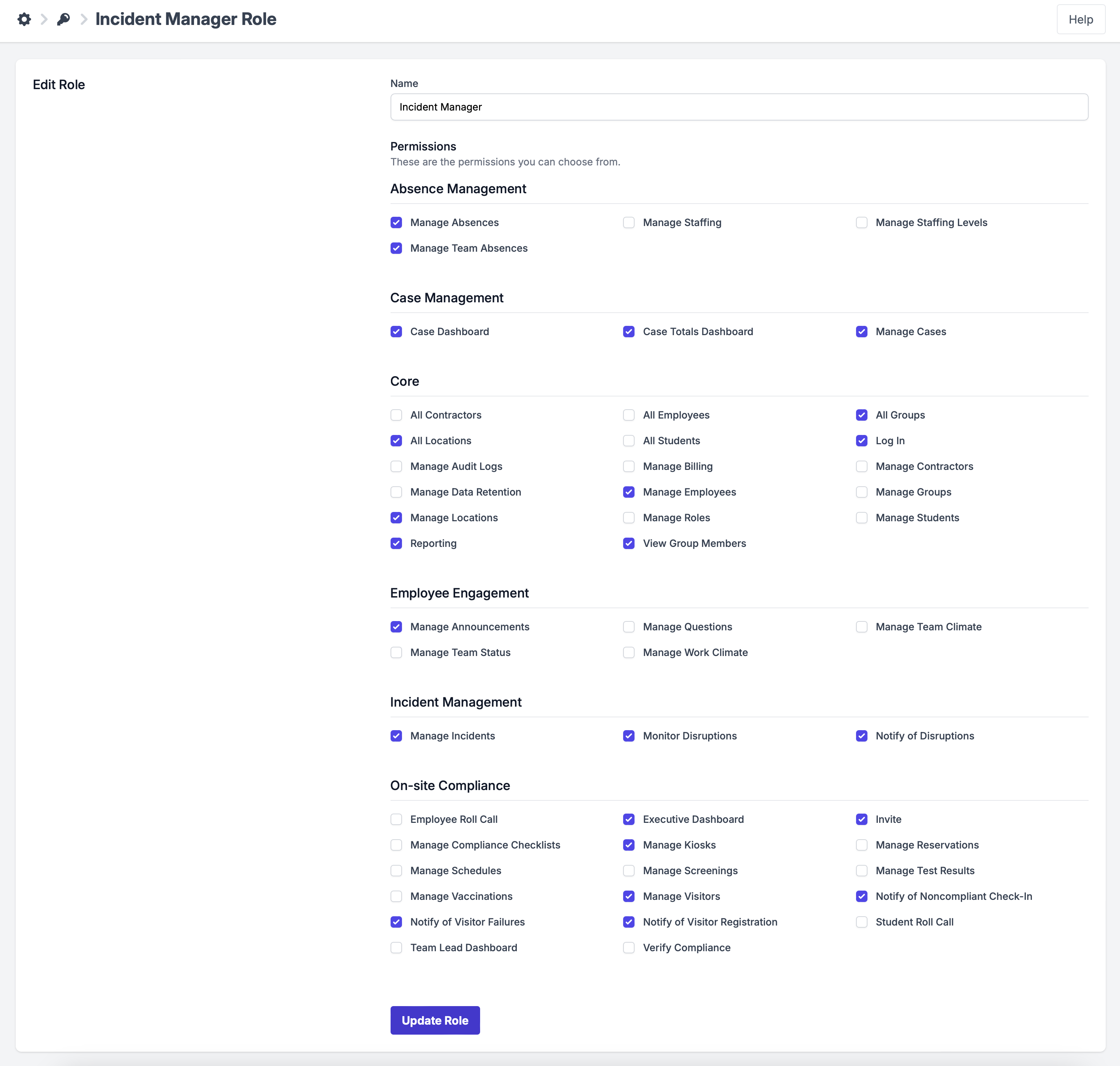
For example, Mike is an Incident Manager with the permissions listed below. He can see the modules in PrevailHQ that are selected for the Incident Manager Role.
 ](Creating Locations_4433489841940.md)

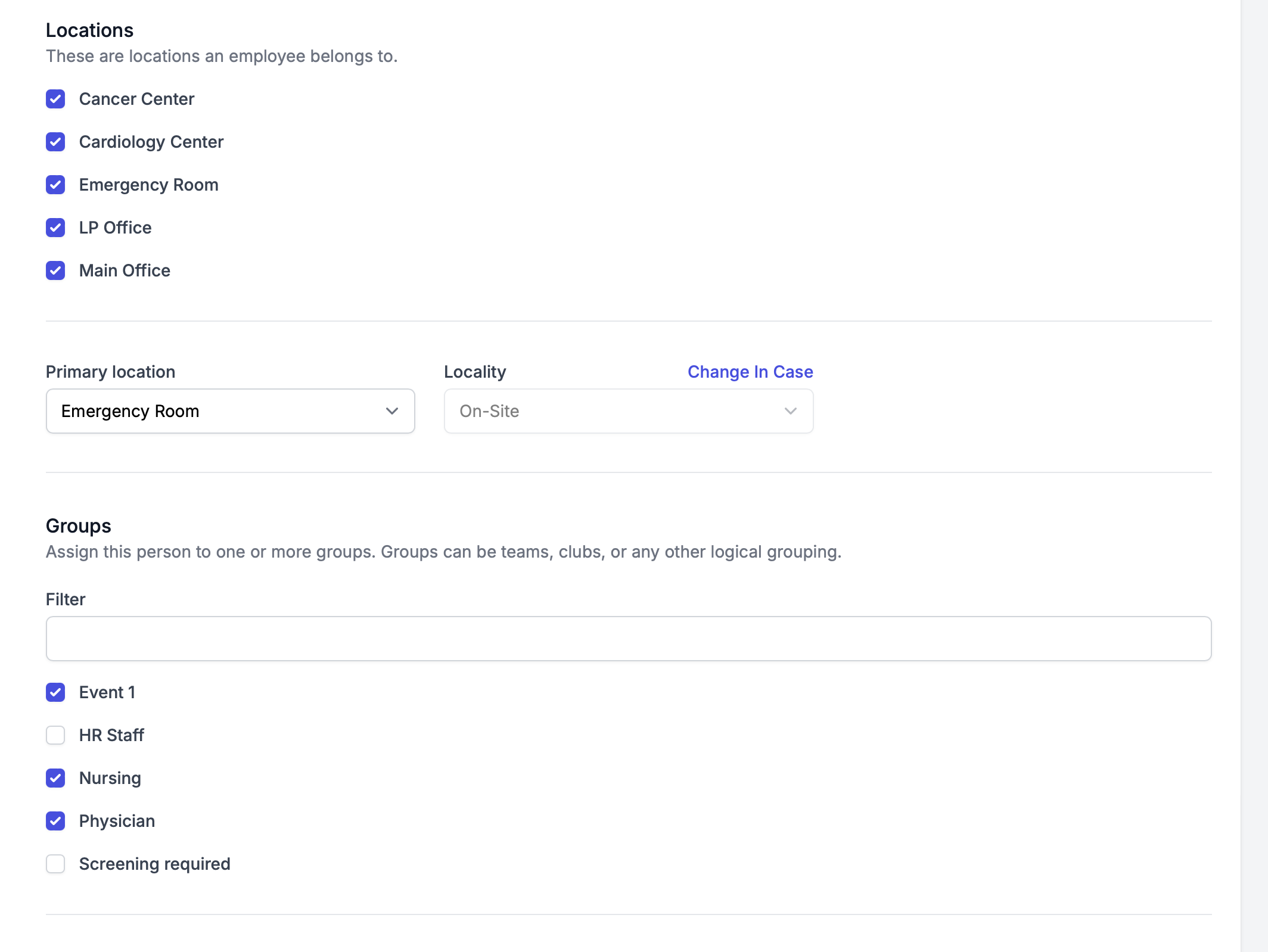
Mike is also assigned to a list of Groups and Locations below. He can only see information for employees who are assigned to the same groups and locations that he is assigned to.
For instance, if Kate is also assigned to the Cardiology Center Location and Nursing group, Mike will be able to see information related to Kate in the modules that are visible to him based on his Incident Manager Role Permissions. If a case is created for Kate, Mike can access that case information since he has manages case permission and is assigned to the same group and location as Kate.