
Launchpad
Launchpad is your home page of the Prevail HQ app. Here you can see all the features that are available to you.
Please Note: different features might be visible under each section depending on the products purchased by your organization.
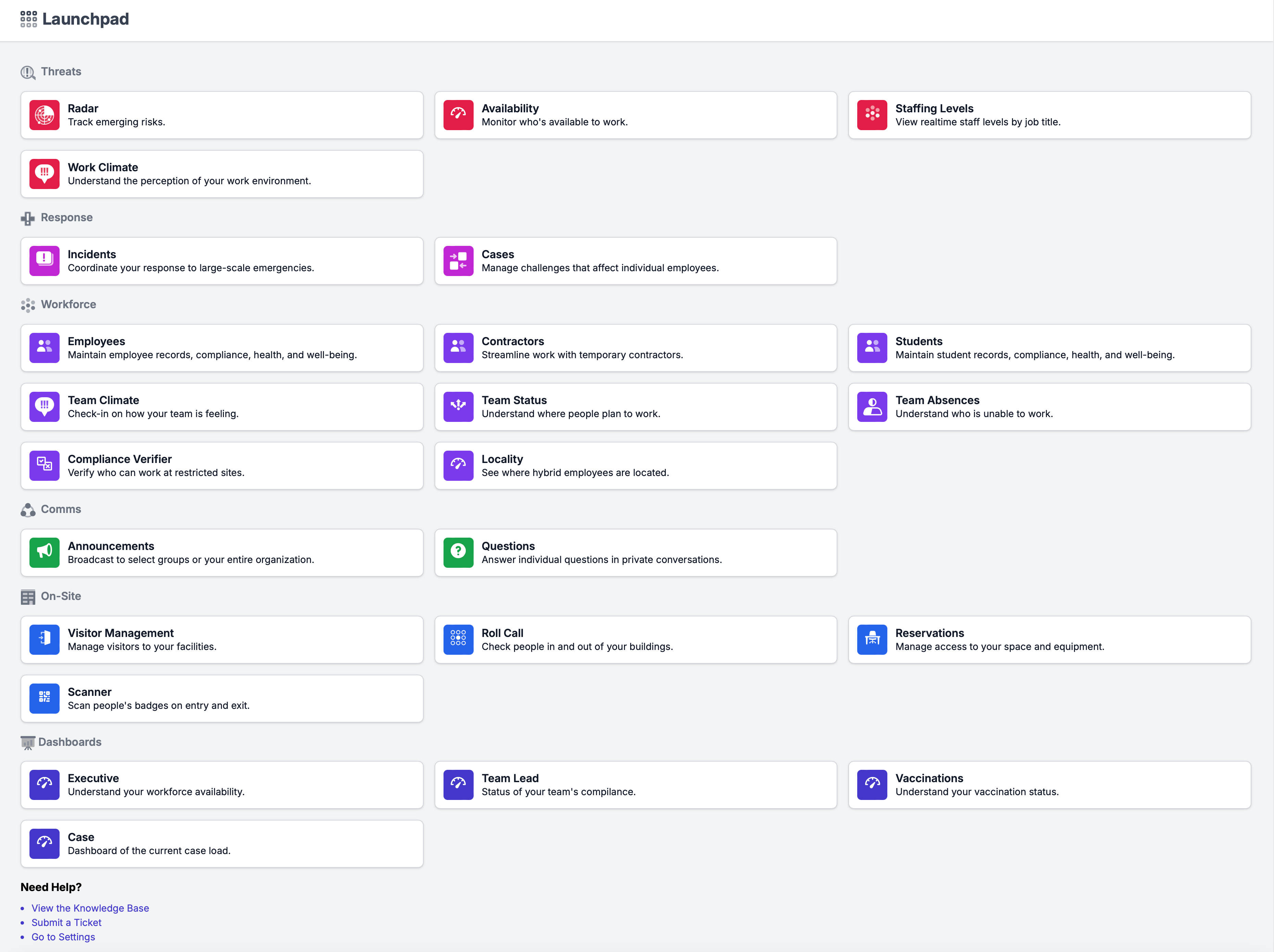
| | | --- | | Threats | | Radar | Prevail HQ’s 24/7 Disruptive Events Radar enables you to monitor external threats to your workforce. On this page, you can see any and all events that may disrupt your workflow in map and list views. | | Availability | Here you will be able to see the Workforce Availability Dashboard, showing what your workforce availability looks like. | | Staffing Levels | Keep operations on track with active management of your staffing levels. Unify all your absence and HR data, plus data gathered from PrevailHQ’s workforce management apps. | | Work Climate | The Work Climate Dashboard can be used by executives to check the organization's work climate environment. |
| | | --- | | Response | | Incidents | Incident Management helps you manage disruptions and reduce the impact of many simultaneous absences. You can respond to a disruption, assess its impact, and help employees return to work so that you can quickly restore your staffing levels. | | Cases | The Case Management page is for keeping track of all your past and current cases. |
| | | --- | | Workforce | | Employees | Manage your employee's data, add new and deactivate employees. Adding Employees Individually Bulk Importing Employees Bulk Update of a Unique Identifier and Best Practices | | Contractors | Here you can manage your contractors' data, and add new and deactivate users. | | Students | Here you can manage your students' data, and add new and deactivate users. | | Team Climate | Quickly understand the feelings of your team members that you directly manage. | | Team Status | Here you can see a comprehensive intended work schedule of your employees. | | Team Absences | This dashboard can be used for the designated individuals to overview team absence information without having access to the case's personal data. | | Compliance Verifier | Use this tool to check a list of employees against a specific compliance checklist. | | Locality | The Workforce Locality page shows how many of your employee users are working in-person, remotely, or doing hybrid work. |
| | | --- | | Comms | | Announcements | It is important to keep your users informed and aware of new policies, upcoming events, cancellations, or simply policy reminders. This can easily be accomplished by using our announcements feature. | | Questions | The Questions feature allows employees to directly communicate with their supervisors. |
| | | --- | | On-Site | | Visitor Management | Manage your scheduled and unannounced visitors here. Or start with the visitor types setup here. | | Roll Call | This page is a 24-hour view that is used to check in on the status of your users as they arrive throughout the day. | | Reservations | This feature is great when your organization would like to require users to reserve time in spaces, or to know who is going to be in the building on a particular day. | | Scanner | The Scanner allows badges to be scanned as users arrive on-site without the need for an attendant to check them in manually. |
| | | --- | | Dashboards | | Executive | This dashboard can be used as the main source for tracking your organization's workforce statistics in PrevailHQ. The Executive Dashboard allows you to review your organization's levels of workforce availability, absences, workplace compliance, work climate, vaccination coverage, active cases, and external factors. | | Team Lead | The Team Lead Dashboard will allow you to see the compliance status of your users day by day. | | Vaccination | The Vaccinations Dashboard shows submission and status data for vaccination submissions, as well as the unknown response rate. | | Cases | Cases Dashboard overviews your organization's case and participation statistics for the past 30 days. |