
Announcements
It is important to keep your users informed and aware of new policies, upcoming events, cancellations, or simply policy reminders. This can easily be accomplished by using our announcements feature (via Comms > Announcements).
Users that have the "Manage Announcements" permission enabled will be able to access this page and create announcements.
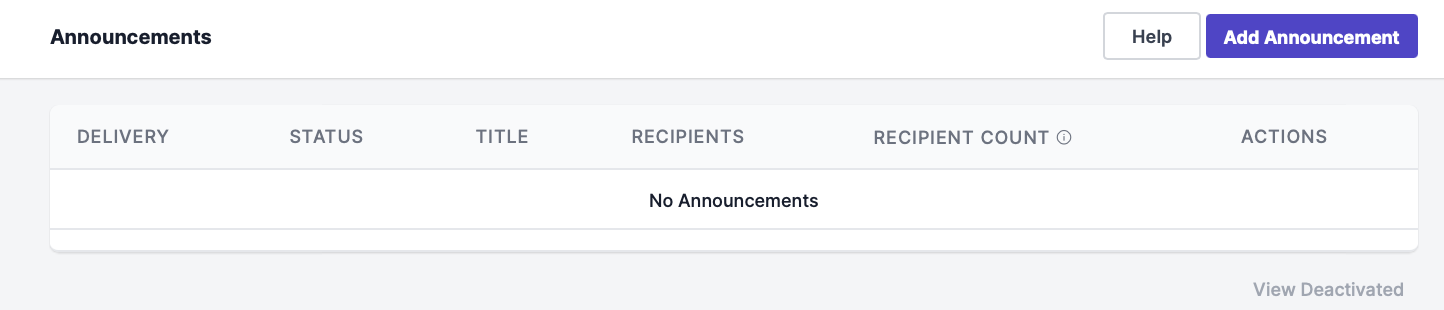
On the Announcements page, click "Add Announcement."
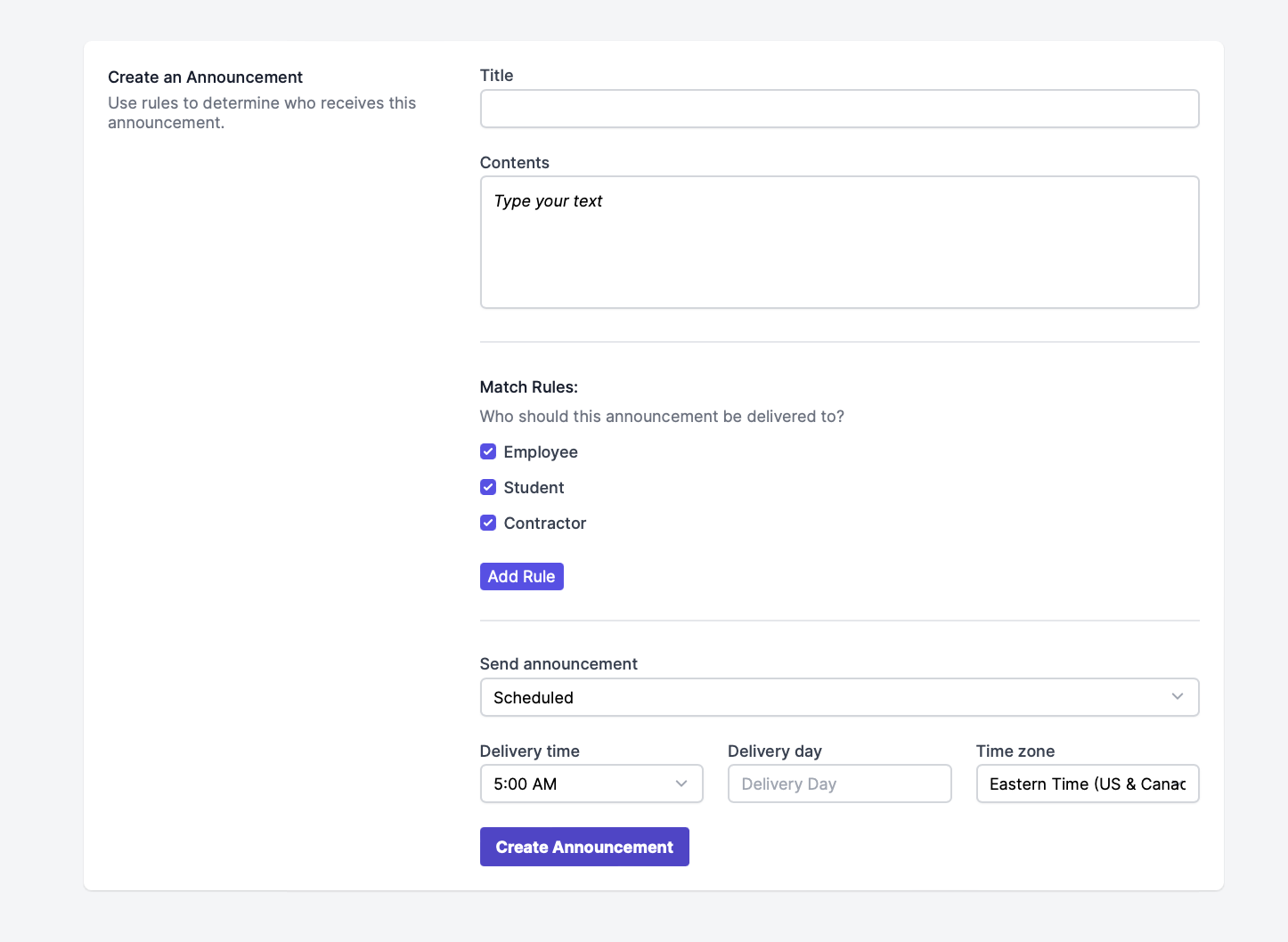
Then, enter the title of the announcement and select what type of user should receive the announcement. You can add rules so that the announcement only gets sent to particular users, or set no rules so all users get the announcement.
Note: You can change the style of your content by highlighting the text to reveal the style editor. Simply highlight the text with your cursor and wait for the icons to appear.
Announcements can be sent immediately or scheduled for future delivery.
Once all your configurations are to your liking, click "Create Announcement."
Please Note: Announcements can only be edited before they are sent out, meaning only future scheduled announcements can be edited. Once the announcement is sent, it cannot be edited. You can, however, deactivate the announcement, and it will be removed from the app's announcements list.
Click here to learn how to add RULES to Announcements.
Pinned Announcements
Announcements can also be pinned to the top of the announcement list on the mobile app. Rules can be applied to a specific designation of users to pin announcements, as well. If/when a user meets this criteria, they will get the announcement.
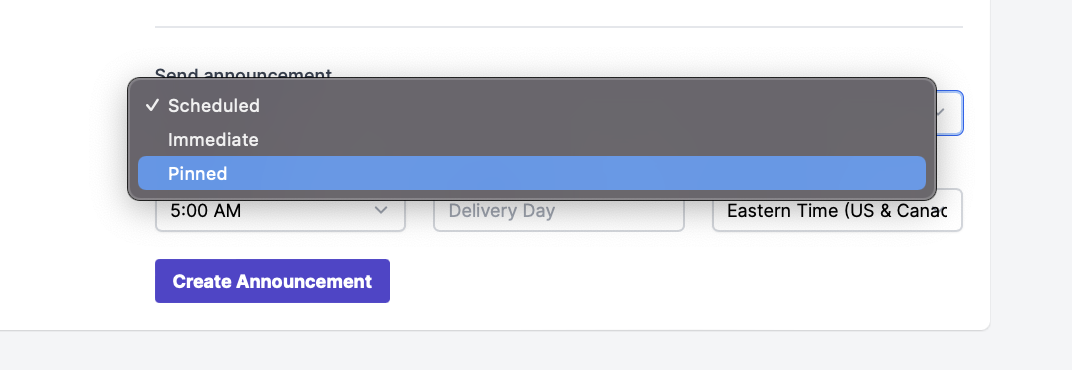
This is achieved simply by creating a new announcement and selecting "Pinned" from the "Send Announcement" drop-down menu. The rules selected for the announcement are the same as non-pinned announcements and can be used to greet new users to the app and your organization's general settings.
__
Please Note: New users will not see announcements if they do not meet the rules set in place. New users will also not see non-pinned announcements sent out before they downloaded the app.