
Workforce/Student Well-Being (Pulse)
It's important to know how your workforce and/or students are feeling. Workforce Pulse is a tool that provides a bird's eye view of the overall well-being of your users. It can help identify areas of concern and help grow an organization of happy users. Users must use the mobile app in union with enabling this feature.
Start by clicking your name at the top right > Settings > Organization Settings:
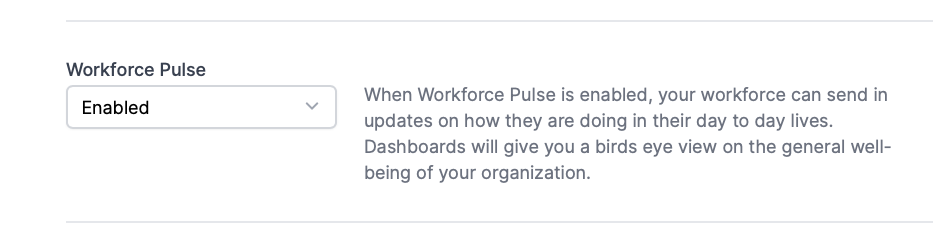
Enable Workforce Pulse:
User Experience
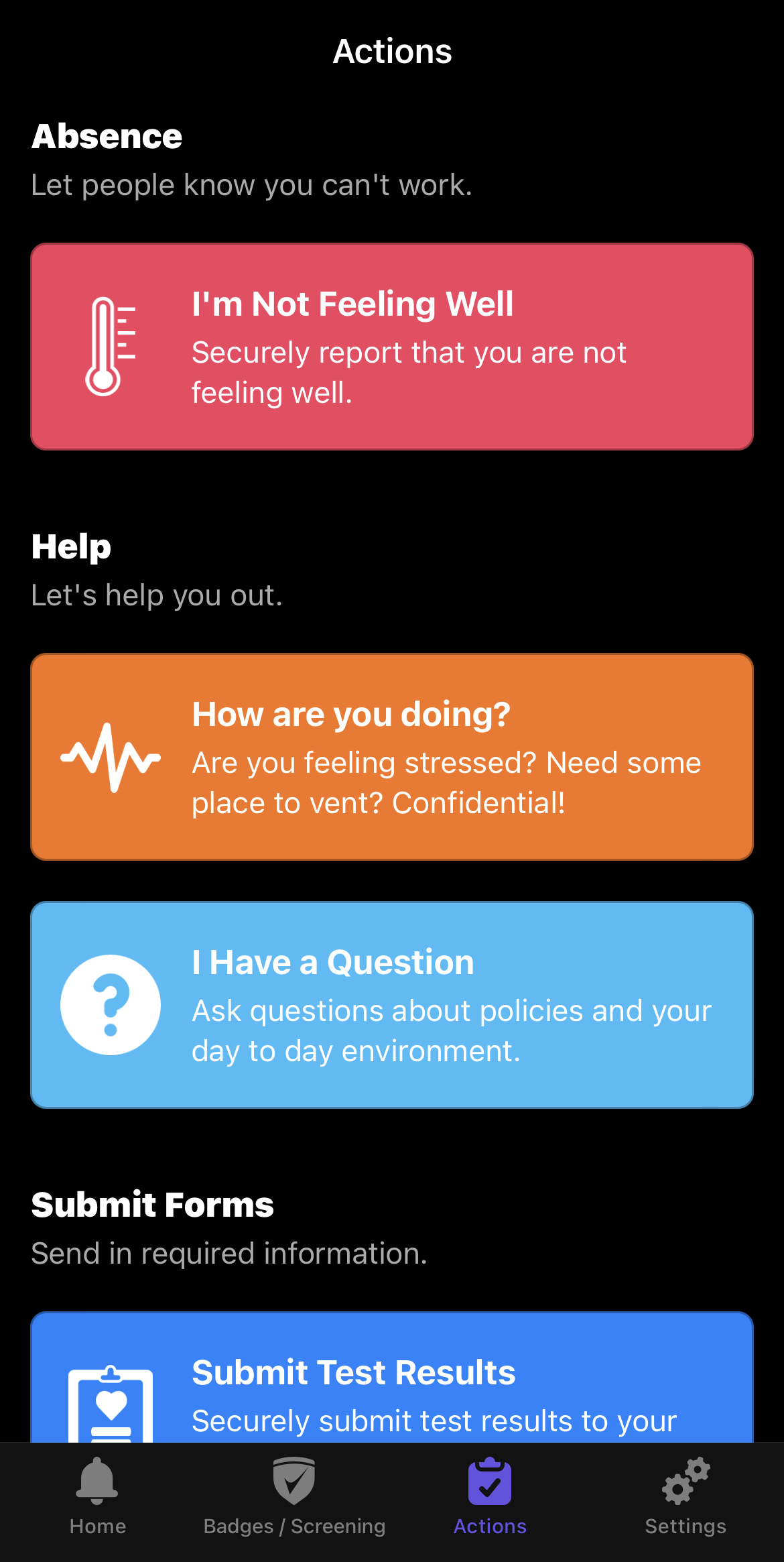
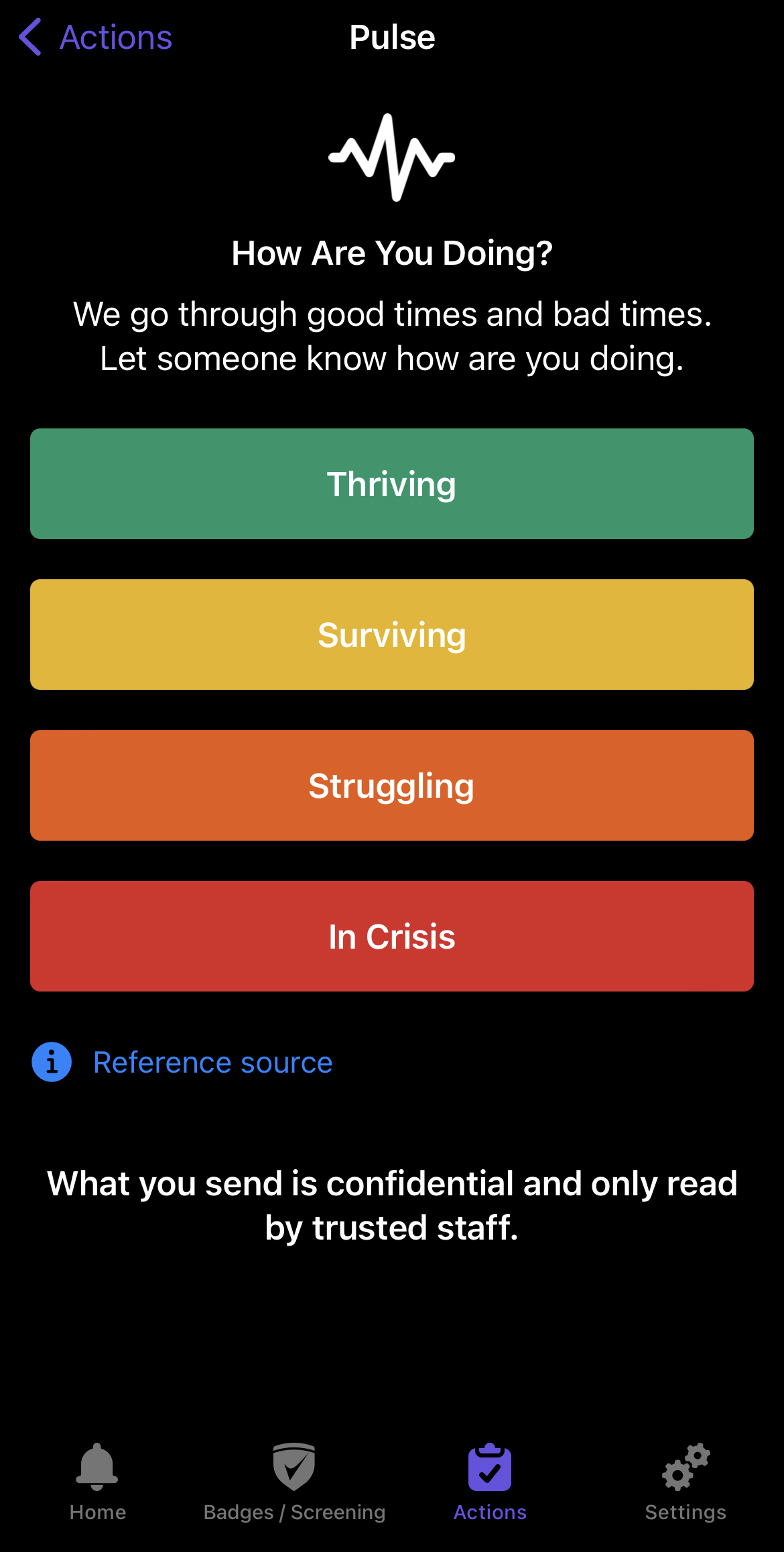
Once enabled, your users will have a new button under the "Actions" tab of the mobile app (the Orange "How are you doing?" button) to provide their feedback. They can choose from Thriving, Surviving, Struggling, In Crisis. They can also enter text to provide details they may want to mention.
Admin Experience
From the home screen of the website, select Threats> Well-being or Students Well-being(if students are enabled for your organization).
After your users have provided feedback, you will be provided with a graph that breaks down their responses.
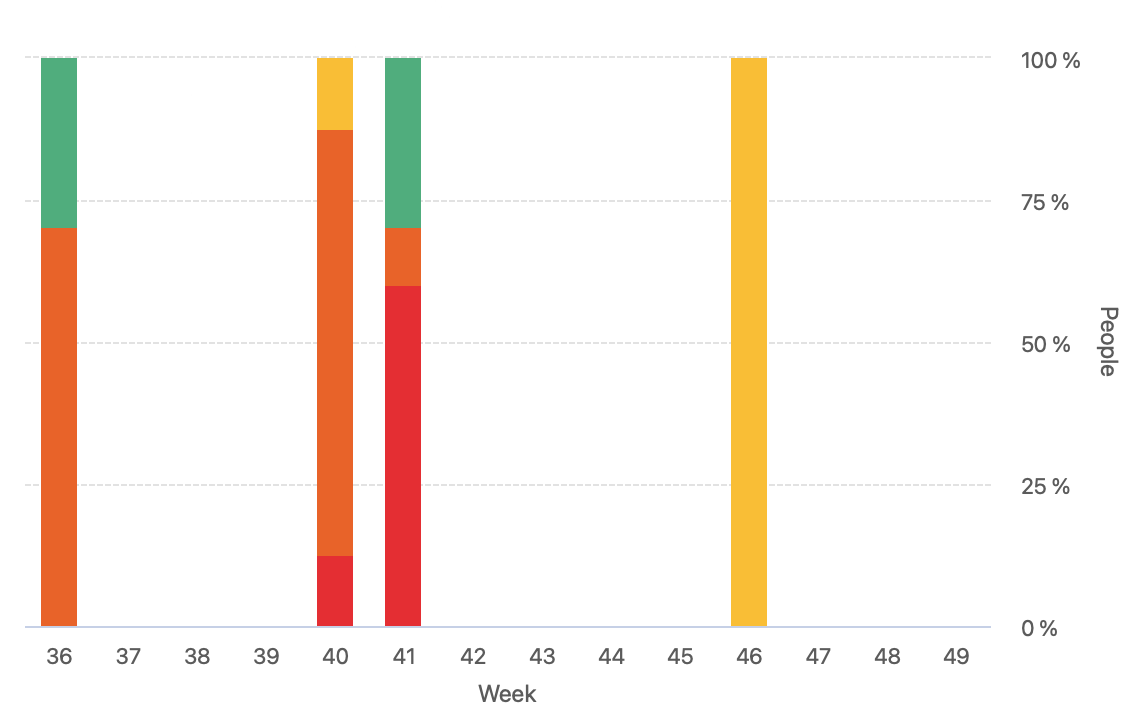
You can filter by Location / Group and see all feedback at once broken down by Location / Group.
Hover your mouse over a section to reveal how many users reported a particular response.
Users that have access to the Case Management page, will also have access to view the details of the feedback by clicking the Pulse button under the Case Management page.
Questions? Email us at support@cleartogo.co